Para los Lectores

En este Blog pueden Consultar libros gratis, ya sea descargar con fines de lectura o consulta, orientados al estudio.
Hay libros de Preescolar y Primaria orientados a Experimentos en general, a Electricidad y Magnetismo.
Los libros de Primaria en adelante orientados a Electricidad, ElectroMagnetismo y Electrónica.
También se abarca Electricidad, Electricidad y Electrónica del Automotor o Automotriz y todas las ramas de la Electrónica.
Ademas hay colecciones de libros que pueden estar fuera de la temática de la Electrónica (como ser Biología, etc...) y otras afines necesariamente como ser Física, Matemática y Química.

Buscar en este Blog

Queres ser Seguidor del blog?

Mostrando entradas con la etiqueta Microcontrolador. Mostrar todas las entradas

viernes, 3 de mayo de 2013

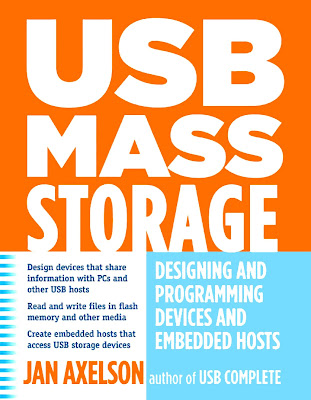
USB Mass Storage

https://blogger.googleusercontent.com/img/b/R29vZ2xl/AVvXsEh7-2zU5fhKaIVGBRXXCYAZ7Wm8VAdNxjHNstnEsnVI7KJrXkGk5EpGXQJDmKUAf6C2X4x2sZJzJP_OJAdHqE-eweP8BoRu9xOaVH2MoBAyTrpo3SJFc5O_IZev0xPBxOc6s3tl3OT48mY/s128/USB%20Mass%20Storage%20Designing%20and%20Programming%20Devices%20and%20Embedded%20Hosts.jpg USB Mass Storage 
Designing and Programming Devices and Embedded Hosts
Jan Axelson

Fuente: Jan Axelson's Lakeview Research
For: program listings, Code, List of corrections.

Reseña

A USB device controller enables a mass-storage device to share its data with other computers. For example, a data logger can collect data in the field and then connect to a PC, where an application reads the data from the logger’s storage media. Or a robot can attach to a PC to receive a file containing configuration data to use in robotic tasks.
Flash-memory cards provide convenient storage for many small systems. Other systems function as USB hosts that can access files in off-the-shelf USB flash drives and hard drives.
If you’re involved with designing or programming devices that incorporate a USB mass-storage device or host interface, this book will help you get your projects up and running. You’ll also find the book useful if you’re designing or programming devices that use flash-memory cards for data storage, whether or not the devices have USB interfaces.

Un controlador de dispositivo USB permite a un dispositivo de almacenamiento masivo compartir sus datos con otros ordenadores. Por ejemplo, un registrador de datos se pueden recopilar datos en el campo y luego se conectan a un de PC, donde una aplicación lee los datos desde medios de almacenamiento del registrador. O un robot puede conectar a un de PC para recibir un archivo que contiene los datos de configuración para utilizar en tareas robóticas.
Tarjetas de memoria flash proporcionan un almacenamiento conveniente para muchos sistemas pequeños. Otros sistemas funcionan como hosts USB que pueden acceder a los archivos en unidades flash off-the-shelf USB y discos duros.
Si usted está involucrado con el diseño o la programación de dispositivos que incorporan un dispositivo de almacenamiento masivo USB o interfaz de host, este libro le ayudará a conseguir sus proyectos en marcha y funcionando. También encontrará el libro sea útil si usted está diseñando o dispositivos que utilizan tarjetas de memoria flash para almacenamiento de datos de programación, si los dispositivos tienen interfaces USB.

INDICE
  • Mass Storage Basics
  • Supporting USB. 
  • The USB Mass Storage Class
  • Accessing Flash Memory Cards. 
  • MultiMediaCard Protocol. 
  • SCSI Commands. 
Consulta el Libro (6 MB) por:
Para los que usan Gestores de Descarga
http://adf.ly/NWlji
http://adf.ly/NWljj
http://adf.ly/NWljk
http://adf.ly/NWljl

INDICE GENERAL
  • Mass Storage Basics. When to Use a Storage Device. Benefits. Other Considerations. Requirements. Devices. Embedded Hosts. Selecting a Media Type. Drive Mechanisms. Addressing Methods. Reading and Writing Considerations. Removable Media and Devices. Hardware Interfaces. Hard Drives. Technology. Interfaces. Flash Memory. Technology. Options for Flash Memory. MultiMediaCard. SD Memory Card. CompactFlash.
  • Supporting USB. The Interface in Brief. Hosts and Devices. Host Responsibilities. Device Responsibilities. Bus Speeds. Endpoints. Transfer Types. Transactions. The Data Toggle. Descriptors. Mass Storage Requirements. Choosing a Device Controller. Controllers with Support for Flash Memory. Controllers with support for ATA/ATAPI. Firmware Options. Microchip PIC18F4550. Architecture. Firmware Support. The USB Controller.
  • The USB Mass Storage Class. Requirements. Specifications. Logical Block Addressing. Mass Storage Requests. Descriptors. Device Descriptor. Configuration Descriptor. Interface Descriptor. Endpoint Descriptors. String Descriptors. Responding to Commands. The Command Block Wrapper. The Command Status Wrapper. Managing Communications on the Bulk Endpoints. More about STALL. Thirteen Cases for Any Situation. PC Support. Windows. Linux.
  • Accessing Flash Memory Cards. The Interface. Signals and Power. Example Circuit. Host Programming. Configuring. Hardware Ports. Firmware-controlled Ports. Transferring Data. Default States. SPI on the PIC18F4550. Configuring the Port. Writing a Byte. Reading a Byte.
  • MultiMediaCard Protocol. Command and Response Formats. Commands. Response Types. Token Formats. The Commands. Classes. Commands Used by Mass-storage Devices. Registers. Sending Commands. Timing Considerations. Commands with No Data Transfer. Commands that Read Data from the Storage Media. Commands that Write Data to the Storage Media. Application Example. Detecting and Selecting a Card. Sending a Command. Reading a Sector. Writing a Sector. Initializing Communications.
  • SCSI Commands. About the Commands. Specifications. Which Commands to Implement?. Sense Data. Fixed-format Sense Data. Setting Default Values. Primary Commands. Inquiry. Mode Select. Mode Sense. Prevent Allow Medium Removal. Report Luns. Request Sense. Send Diagnostic. Test Unit Ready.

miércoles, 1 de mayo de 2013

The Microcontroller Idea Book 8052-BASIC

https://blogger.googleusercontent.com/img/b/R29vZ2xl/AVvXsEinmkU_YPMKImZDZ2neHNYnaiXM8WLUbxclOOWTog40jODFhyphenhyphenbSFzqIYOAnyM4VLw26VymX0vq-hcmMLdyg9R0NhTReYfgxwNj3UZlJUb-EskfqXjp6J-7O71tMktwVkQ9W1gBVcomnMWs/s128/The%20Microcontroller%20Idea%20Book%20Jan%20Axelson.jpg The Microcontroller Idea Book 
Circuits, Programs, & Applications featuring the 8052-BASIC Microcontroller
Jan Axelson

Fuente: Jan Axelson's Lakeview Research
For: program listings, Code, List of corrections.

Reseña


The Microcontroller Idea Book is a hands-on guide that presents practical designs for use in data loggers, controllers, and other small-computer applications. 
Microcontrollers, or single-chip computers, are ideal for projects that require computer intelligence but don't need the disk drives, keyboard, and full-screen display of a desktop computer.

El Microcontrolador Libro de ideas es una guía práctica que presenta diseños prácticos para su uso en data loggers (adquisición de datos), controladores, y otras aplicaciones de pequeña computadora.
Microcontroladores o equipos de un solo chip, son ideales para proyectos que requieren la inteligencia computacional, pero no necesitan las unidades de disco, el teclado y la pantalla a pantalla completa de una computadora de escritorio.

INDICE
  • Microcontroller Basics. 
  • Inside the 8052-BASIC
  • Powering Up. 
  • Saving Programs. 
  • Programming. 
  • Inputs and Outputs. 
  • Switches and Keypads
  • Displays
  • Using Sensors to Detect and Measure. 
  • Clocks and Calendars
  • Control Circuits. 
  • Wireless Links
  • Calling Assembly-language Routines. 
  • Running BASIC-52 from External Memory
  • Related Products. 
  • Appendix
Consulta el Libro (7 MB) por:
Para los que usan Gestores de Descarga
http://adf.ly/NWjTb
http://adf.ly/NWjTc
http://adf.ly/NWjTe
http://adf.ly/NWjTf

INDICE GENERAL
  • Microcontroller Basics. What’s a Microcontroller?. A Little History. New Tools. Project Steps.
  • Inside the 8052-BASIC. Possibilities. Limits. What You Need. The 8051 Family. Elements of the 8052 and 8052-BASIC.
  • Powering Up. About the Circuit. Circuit Construction. Powering Up. Basic Tests. Simple Programs to Try. Exiting Programs.
  • Saving Programs. Nonvolatile Memory Options. Adding NVRAM or EEPROM. Using the Programming Commands. Adding Bootup Options. Erasing NV Memory. Adding more NVRAM or EEPROM. Adding EPROM. EPROM-programming Circuits. Power Supplies for Programming. Storing Programs on Disk.
  • Programming. Programming Basics. BASIC-52 Bugs and Things to Watch Out For. Finding Program Errors. BASIC-52 Keywords by Function. Quick Reference to BASIC-52.
  • Inputs and Outputs. The Memory Map. Uses for I/O Ports. Adding Ports. The 8255 Programmable Peripheral Interface.
  • Switches and Keypads. Simple Switches. Adding a Keypad.
  • Displays. Using LEDs. 7-segment Displays. Displaying Messages. Inside the Display Controller. Mounting Displays in an Enclosure.
  • Using Sensors to Detect and Measure. Sensor Basics. Choosing Sensors. On/off Sensors. Analog Sensors. Sensor Examples. Level Translating. Choosing a Converter.
  • Clocks and Calendars. BASIC-52’s Real-time Clock. A Watchdog Timekeeper.
  • Control Circuits. Switching Power to a Load. Controlling a Switch Matrix. Op Amp with Programmable Gain. Controlling a Stepper Motor. Speed Control of a Continuous DC Motor.
  • Wireless Links. Infrared Links. Increasing the Distance. Radio Links.
  • Calling Assembly-language Routines. Assembly-language Basics. What You Need. Loading a Routine. File Formats for Assembly-language Routines. Assembling a Program. Uploading a Program. Example: Creating a Sine Wave. Avoiding Program Crashes. Interrupts. Adding Custom Commands and Instructions. A General-purpose EPROM Programmer.
  • Running BASIC-52 from External Memory. Reasons. Copying BASIC-52. System Requirements. Storing BASIC-52 Programs.
  • Related Products. Enhanced BASIC-52. BASIC Compilers. Programming Environments. Pc Boards. BASIC-52 Source Code.
  • Appendix . Sources. Books. BBS’s. Product Vendors. Programs for Loading Files. Number Systems. About Number Systems. Kilobytes and Megabytes.

martes, 9 de abril de 2013

Programming 32-bit Microcontrollers in C Exploring the PIC32

https://blogger.googleusercontent.com/img/b/R29vZ2xl/AVvXsEgWuRjP5KkokzxAO0sj6OMDScU4U2x2xighFOoBGIIdlpPT85-8CRGQ57gI-czHTQ8z8newTiIBpGmiB3GFxtGDI4e7NYUSCzZyfNujF7Ik9cQkBfGgc1w7w8EpTEsP_c78ILSW9w5oPro/s128/Programming%2032-bit%20Microcontrollers%20in%20C.jpg Programming 32-bit Microcontrollers in C
Exploring the PIC32
Lucio Di Jasio

Reseña
The new 32-bit microcontrollers bring the promise of more speed and more performance while offering an unprecedented level of compatibility with existing 8 and 16-bit PIC microcontrollers. In sixteen engaging chapters, using a parallel track to his previous title dedicated to 16-bit programming, the author puts all these claims to test while offering a gradual introduction to the development and debugging of embedded control applications in C. 
Author Lucio Di Jasio, a PIC and embedded control expert, offers unique insight into the new 32-bit architecture while developing a number of projects of growing complexity.
Experienced PIC users and newcomers to the field alike will benefit from the text's many thorough examples which demonstrate how to nimbly side-step common obstacles, solve real-world design problems efficiently and optimize code using the new PIC32 features and peripheral set. 

Los nuevos microcontroladores de 32 bits traer la promesa de más velocidad y más rendimiento a la vez que ofrece un nivel sin precedentes de compatibilidad con los actuales 8 y 16-bit de microcontroladores PIC. En dieciséis capítulos participación, utilizando una vía paralela a su anterior título dedicado a la programación de 16-bits, el autor pone todas estas reclamaciones para poner a prueba al tiempo que ofrece una introducción gradual para el desarrollo y la depuración de aplicaciones de control embebido en C.
Autor Lucio Di Jasio, un experto en control de PIC y embebido, ofrece una visión única de la nueva arquitectura de 32 bits, mientras que el desarrollo de una serie de proyectos de complejidad creciente.
Los usuarios experimentados PIC y los recién llegados al campo se beneficiarán de muchos ejemplos a fondo del texto que muestran cómo esquivar ágilmente los obstáculos comunes, resolver problemas del mundo real del diseño eficiente y optimizar el código a utilizar las nuevas características y PIC32 conjunto de periféricos.

INDICE
  • Part 1 : Exploring.
  • Day 1: The Adventure Begins. 
  • Day 2: Walking in Circles. 
  • Day 3: Message in a Bottle. 
  • Day 4: Numbers. 
  • Day 5: Interrupts. 
  • Day 6: Memory. 
  • Part 2: Experimenting.
  • Day 7: Running. 
  • Day 8: Communication 
  • Day 9: Asynchronous Communication 
  • Day 10: Glass _ Bliss. 
  • Day 11: It ’ s an Analog World. 
  • Part 3: Expansion.
  • Day 12: Capturing User Inputs 
  • Day 13: UTube. 
  • Day 14: Mass Storage. 
  • Day 15: File I/O. 
  • Day 16: Musica, Maestro
Consulta el Libro (9 MB) por:
Para los que usan Gestores de Descarga
http://adf.ly/MUyPb
http://adf.ly/MUyPd
http://adf.ly/MUyPf
http://adf.ly/MUyPh

INDICE GENERAL
  • Part 1 : Exploring.
  • Day 1: The Adventure Begins. The Plan. Preparation. The Adventure Begins. Compiling and Linking. The Linker Script. Building the First Project. Using the Simulator. Finding a Direction. The JTAG Port. Testing PORTB. Mission Debriefing. Notes for the Assembly Experts. Notes for the PIC MCU Experts. Notes for the C Experts. Tips & Tricks. Exercises. Books. Links.
  • Day 2: Walking in Circles. The Plan. Preparation. The Exploration. While Loops. An Animated Simulation. Using the Logic Analyzer. Debriefing. Notes for the Assembly Experts. Notes for the 8-Bit PIC Microcontroller Experts. Notes for the 16-Bit PIC Microcontroller Experts. Notes for the C Experts. Notes for the MIPS Experts. Tips & Tricks. Notes on Using the Peripheral Libraries. Exercises. Books. Links.
  • Day 3: Message in a Bottle. The Plan. Preparation. The Exploration. Do Loops. Variable Declarations. for Loops. More Loop Examples. Arrays. Sending a Message. Testing with the Logic Analyzer. Testing with the Explorer 16 Demonstration Board. Testing with the PIC32 Starter Kit. Debriefing. Notes for the Assembly Experts. Notes for the PIC Microcontroller Experts. Notes for the C Experts. Tips & Tricks. Exercises. Books. Links.
  • Day 4: NUMBERS. The Plan. Preparation. The Exploration. On Optimizations (or Lack Thereof). Testing. Going long long. Integer Divisions. Floating Point. Measuring Performance. Debriefing. Notes for the Assembly Experts. Notes for the 8-Bit PIC® Microcontroller Experts. Notes for the 16-Bit PIC and dsPIC® Microcontroller Experts. Tips & Tricks. Exercises. Books. Links.
  • Day 5: Interrupts. The Plan. Preparation. The Exploration. Interrupts and Exceptions. Sources of Interrupt. Interrupt Priorities. Interrupt Handlers Declaration. The Interrupt Management Library. Single Vector Interrupt Management. Managing Multiple Interrupts. Multivectored Interrupt Management. A Simple Application. The Secondary Oscillator. The Real-Time Clock Calendar (RTCC). Debriefing. Notes for the PIC Microcontroller Experts. Tips & Tricks. Exercises. Books. Links.
  • Day 6: Memory. The Plan. Preparation. The Exploration. Memory Space Allocation. Looking at the MAP. Pointers. The Heap. The PIC32MX Bus. PIC32MX Memory Mapping. The Embedded-Control Memory Map. Debriefing. Notes for the C Experts. Notes for the Assembly Experts. Notes for the PIC Microcontroller Experts. Tips & Tricks. Exercises. Books. Links.
  • Part 2: Experimenting.
  • Day 7: Running. The Plan. Preparation. The Exploration. Performance vs. Power Consumption. The Primary Oscillator Clock Chain. The Peripheral Bus Clock. Initial Device Configuration. Setting Configuration Bits in Code. Heavy Stuff. Ready, Set, Go!. Fine-Tuning the PIC32: Configuring Flash Wait States. Fine-Tuning the PIC32: Enabling the Instruction and Data Cache. Fine-Tuning the PIC32: Enabling the Instruction Pre-Fetch. Fine-Tuning the PIC32: Final Notes. Debriefing. Notes for the Assembly Experts. Notes for the PIC® Microcontroller Experts. Tips & Tricks. Exercises. Books. Links.
  • Day 8: Communication .. The Plan. Preparation. The Exploration. Synchronous Serial Interfaces. Asynchronous Serial Interfaces. Parallel Interfaces. Synchronous Communication Using the SPI Modules. Testing the Read Status Register Command. Writing Data to the EEPROM. Reading the Memory Contents. A 32-bit Serial EEPROM Library. Testing the New SEE Library. Debriefing. Notes for the C Experts. Notes for the Explorer 16 Experts. Notes for the PIC24 Experts. Tips & Tricks. Exercises. Books. Links.
  • Day 9: Asynchronous Communication .. The Plan. Preparation. The Exploration. UART Configuration. Sending and Receiving Data. Testing the Serial Communication Routines. Building a Simple Console Library. Testing a VT100 Terminal. The Serial Port as a Debugging Tool. The Matrix Project. Debriefing. Notes for the C Experts. Notes for the PIC® Microcontroller Experts. Tips & Tricks. Exercises. Books. Links.
  • Day 10: Glass _ Bliss. The Plan. Preparation. The Exploration. HD44780 Controller Compatibility. The Parallel Master Port. Configuring the PMP for LCD Module Control. A Small Library of Functions to Access an LCD Display. Building an LCD Library and Using the PMP Library. Creating the include and lib Directories. Advanced LCD Control. Progress Bar Project. Debriefing. Notes for the PIC24 Experts. Tips & Tricks. Exercises. Books. Links.
  • Day 11: It ’ s an Analog World. The Plan. Preparation. The Exploration. The First Conversion. Automating Sampling Timing. Developing a Demo. Creating Our Own Mini ADC Library. Fun and Games. Sensing Temperature. Debriefing. Notes for the PIC24 Experts. Tips & Tricks. Exercises. Books. Links.
  • Part 3: Expansion.
  • Day 12: Capturing User Inputs .. The Plan. Preparation. Buttons and Mechanical Switches. Button Input Packing. Button Inputs Debouncing. Rotary Encoders. Interrupt-Driven Rotary Encoder Input. Keyboards. PS/2 Physical Interface. The PS/2 Communication Protocol. Interfacing the PIC32 to the PS/2. Input Capture. Testing Using a Stimulus Scripts. The Simulator Profiler. Change Notification. Evaluating Cost. I/O Polling. Testing the I/O Polling Method. Cost and Efficiency Considerations. Keyboard Buffering. Key Code Decoding. Debriefing. Notes for the PIC24 Experts. Tips & Tricks. Exercises. Books. Links.
  • Day 13: UTube. The Plan. Preparation. The Exploration. Generating the Composite Video Signal. The Output Compare Modules. Image Buffers. Serialization, DMA, and Synchronization. Completing a Video Library. Testing the Composite Video. Measuring Performance. Seeing the Dark Screen. Test Pattern. Plotting. A Starry Night. Line Drawing. Bresenham Algorithm. Plotting Math Functions. Two-Dimensional Function Visualization. Fractals. Text. Printing Text on Video. Text Test. The Matrix Reloaded. Debriefing. Notes for the PIC24 Experts. Tips & Tricks. Exercises. Books. Links.
  • Day 14: Mass Storage. The Plan. Preparation. The Exploration. The Physical Interface. Interfacing to the Explorer 16 Board. Starting a New Project. Selecting the SPI Mode of Operation. Sending Commands in SPI Mode. Completing the SD Card Initialization. Reading Data from an SD/MMC Card. Writing Data to an SD/MMC Card. Testing the SD/MMC Interface. Debriefing. Tips & Tricks. Exercises. Books. Links.
  • Day 15: File I/O. The Plan. Preparation. The Exploration. Sectors and Clusters. The File Allocation Table. The Root Directory. The Treasure Hunt. Opening a File. Reading Data from a File. Closing a File. The Fileio Module. Testing fopenM() and freadM(). Writing Data to a File. Closing a File, Take Two. Accessory Functions. Testing the Complete Fileio Module. Code Size. Debriefing. Tips & Tricks. Exercises. Books. Links.
  • Day 16: Musica, Maestro!. The Plan. Preparation. The Exploration. OC PWM Mode. Testing the PWM as a D/A Converter. Producing Analog Waveforms. Reproducing Voice Messages. A Media Player. The WAVE File Format. The Play() Function. The Audio Routines. A Simple WAVE File Player. Debriefing. Tips & Tricks. Exercises. Books. Links. Disclaimer. Final Note for the Experts.

lunes, 8 de abril de 2013

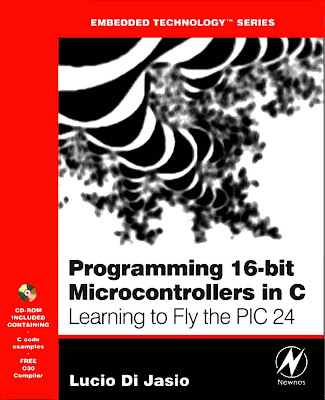
Programming 16-Bit PIC Microcontrollers in C

https://blogger.googleusercontent.com/img/b/R29vZ2xl/AVvXsEidgwM6XMinZ2L9l-adfQpMHpRNw1114envUq0ILipuVNZuuzehVHVoqKXl0STozAWHw35JjSdxUw6hPOTtqxCIXRGFVpmw3yXIDPER3I7I2SGVnZ73ryZzh67vz0I6p5oNzeIJWnLxlzs/s128/Programming%2016-Bit%20PIC%20Microcontrollers%20in%20C.jpg Programming 16-Bit PIC Microcontrollers in C
Learning to Fly the PIC24
Lucio Di Jasio

Reseña
Most readers will associate Microchip's name with the ubiquitous 8-bit PIC microcontrollers but it is the new 16-bit PIC24F family that is truly stealing the scene. Orders of magnitude increases of performance, memory size and the rich peripheral set make programming these devices in C a must. This new guide by Microchip insider Lucio Di Jasio teaches readers everything they need to know about the architecture of these new chips: How to program them, how to test them, and how to debug them. 
Di Jasio's common-sense, practical, hands-on approach starts out with basic functions and guides the reader step-by-step through even the most sophisticated programming scenarios. Experienced PIC users, including embedded engineers, programmers, designers, and SW and HW engineers, and new comers alike will benefit from the text's many thorough examples, which demonstrate how to nimbly sidestep common obstacles and take full advantage of the many new features.

La mayoría de los lectores asociar el nombre de Microchip con los microcontroladores PIC de 8 bits en todas partes, pero es el nuevo 16-bit de la familia PIC24F que es realmente el robo de la escena. Los pedidos de aumentos de la magnitud de rendimiento, tamaño de memoria y el conjunto periférico rico que la programación de estos dispositivos en C una necesidad. Esta nueva guía de información privilegiada por Microchip Lucio Di Jasio enseña a los lectores todo lo que necesitan saber acerca de la arquitectura de estos nuevos chips: Cómo programarlos, cómo probarlos y cómo depurarlos.

Di Jasio de sentido común, práctico, enfoque práctico comienza con funciones básicas y guía al lector paso a paso a través de incluso los escenarios de programación más sofisticadas. Los usuarios experimentados PIC, incluyendo ingenieros embebidos, programadores, diseñadores, ingenieros y SW y HW, y recién llegados se beneficiarán de muchos ejemplos a fondo del texto, que demuestran cómo esquivar ágilmente los obstáculos comunes y sacar el máximo provecho de las nuevas características.

INDICE
  • THE FIRST FLIGHT. 
  • A LOOP IN THE PATTERN. 
  • MORE PATTERN WORK, MORE LOOPS. 
  • NUMBERS.
  • INTERRUPTS. 
  • TAKING A LOOK UNDER THE HOOD. 
  • COMMUNICATION. 
  • ASYNCHRONOUS COMMUNICATION. 
  • GLASS BLISS. 
  • IT’S AN ANALOG WORLD. 
  • CROSS-COUNTRY FLYING.
  • CAPTURING INPUTS. 
  • THE DARK SCREEN. 
  • MASS STORAGE. 
  • FILE I/O. 
  • VOLARE. 
Consulta el Libro (8 MB) por:
Para los que usan Gestores de Descarga
http://adf.ly/MUuht
http://adf.ly/MUuhv
http://adf.ly/MUuhw
http://adf.ly/MUuhx

INDICE GENERAL
  • THE FIRST FLIGHT. Flight plan. Preflight checklist. The flight. Compiling and linking. Building the first project. PORT initialization. Retesting PORTA. Testing PORTB. Post-flight briefing. Notes for assembly experts. Notes for PIC MCU experts. Notes for C experts. Tips and tricks. Exercises. Books. Links.
  • A LOOP IN THE PATTERN. Flight plan. Preflight checklist. The flight. An animated simulation. Using the Logic Analyzer. Post-flight briefing. Notes for assembly experts. Notes for PIC microcontroller experts. Notes for C experts. Tips and tricks. Exercises. Books. Links.
  • MORE PATTERN WORK, MORE LOOPS. Flight plan. Preflight checklist. The flight. Do Loops. Variable declarations. for loops. More loop examples. Arrays. A new demo. Testing with the Logic Analyzer. Using the Explorer16 demonstration board. Post-flight briefing. Notes for assembly experts. Notes for PIC microcontroller experts. Notes for C experts. Tips and tricks. Exercises. Books. Links.
  • NUMBERS. Flight plan. Preflight checklist. The flight. On optimization (or lack thereof). Testing. Going long. Note on the multiplication of long integers. Long long multiplication. Floating point. Notes for C experts. Measuring performance. Post-flight briefing. Notes for assembly experts. Notes for PIC microcontroller experts. Tips and tricks. Math libraries. Complex data types. Exercises. Books. Links.
  • INTERRUPTS. Flight plan. Preflight checklist. The flight. Nesting of interrupts. Traps. A template and an example for Timer1 interrupt. A real example with Timer1. Testing the Timer1 interrupt. The secondary oscillator. The real-time clock calendar (RTCC). Managing multiple interrupts. Post-flight briefing. Notes for C experts. Notes for assembly experts. Notes for PIC microcontroller experts. Tips and tricks. Exercises. Books. Links.
  • TAKING A LOOK UNDER THE HOOD. Flight plan. Preflight checklist. The flight. Memory space allocation. Program space visibility. Investigating memory allocation. Looking at the MAP. Pointers. The heap. MPLAB C30 Memory Models. Post-flight briefing. Notes for C experts. Notes for assembly experts. Notes for PIC microcontroller experts. Tips and tricks. Exercises. Books. Links. PART II – FLYING “SOLO”.
  • COMMUNICATION. Flight plan. Preflight checklist. The flight. Synchronous serial interfaces. Asynchronous serial interfaces. Parallel interfaces. Synchronous communication using the SPI modules. Testing the Read Status Register command. Writing to the EEPROM. Reading the memory contents. A nonvolatile storage library. Testing the new NVM library. Post-flight briefing. Notes for C experts. Notes for the experts. Notes for PIC microcontroller experts. Tips and tricks. Exercises. Books. Links.
  • ASYNCHRONOUS COMMUNICATION. Flight plan. Preflight checklist. The flight. UART configuration. Sending and receiving data. Testing the serial communication routines. Building a simple console library. Testing a VT100 terminal. Using the serial port as a debugging tool. The matrix. Post-flight briefing. Notes for C experts. Notes for PIC microcontroller experts. Tips and tricks. About the ICD2 and UARTs on ICE. Exercises. Books. Links.
  • GLASS BLISS. Flight plan. Pre-flight checklist. The flight. HD44780 controller compatibility. The Parallel Master Port. Configuring the PMP for LCD module control. A small library of functions to access an LCD display. Advanced LCD control. Post-flight briefing. Notes for C experts. Tips and tricks. Exercises. Books. Links.
  • IT’S AN ANALOG WORLD. Flight plan. Preflight checklist. The flight. The first conversion. Automatic sampling timing. Developing a demo. Developing a game. Measuring temperature. The breath-alizer game. Post-flight briefing. Notes for C experts. Tips and tricks. Exercises. Books. Links. PART III – CROSS-COUNTRY FLYING.
  • CAPTURING INPUTS. Flight plan. The flight. The PS/2 communication protocol. Interfacing a PIC24 to the PS/2. Input Capture. Testing the Input Capture method using Stimulus Scripts. Testing the PS/2 receive routines. The simulation. The Simulator Profile. Another method – Change Notification. Evaluating cost. A third method – I/O polling. Testing the I/O polling method. Cost and efficiency of the solution. Completing the interface: adding a FIFO buffer. Completing the interface: performing key codes decoding. Post-flight briefing. Tips and tricks. Stalling transmissions from the keyboard – Open-Drain Output Control. Exercises. Books. Links.
  • THE DARK SCREEN. Flight plan. The flight. Generating the composite video signal. Using the Output Compare modules. Memory allocation. Image serialization. Building the video module. Testing the video generator. Measuring performance. The dark screen. A test pattern. Plotting. A starry night. Line drawing. Bresenham algorithm. Plotting math functions. Two-dimensional function visualization. Fractals. Text. Testing the TextOnGPage module. Developing a text page video. Testing the text page performance. Post-flight briefing. Tips and tricks. Exercises. Books. Links.
  • MASS STORAGE. Flight plan. The flight. The SD/MMC card physical interface. Interfacing to the Explorer16 board.. Starting a new project. Selecting the SPI mode of operation. Sending commands in SPI mode. Completing the SD/MMC card initialization. Reading data from an SD/MMC card. Writing data to an SD/MMC card. Using the SD/MMC interface module. Post-flight briefing. Tips and tricks. Exercises. Books. Links.
  • FILE I/O. Flight plan. The flight. Sectors and Clusters. The File Allocation Table (FAT). The Root Directory. The treasure hunt. Opening a fi le. Reading data from a fi le. Closing a fi le. Creating the fileio module. Testing fopenM() and freadM(). Writing data to a fi le. Closing a fi le, second take. Accessory functions. Testing the complete fi leio module. Code Size. Post-flight briefing. Tips and tricks. Exercises. Books. Links.
  • VOLARE. Flight plan. The flight. Using the PIC24 OC modules in PWM mode. Testing the PWM as a D/A converter. Producing analog waveforms. Reproducing voice messages. A media player. The WAVE fi le format. The play() function. The low level audio routines. Testing the WAVE fi le player. Optimizing the fi le I/O. LED Profiling. Looking under the hood for more. Post-flight briefing. Tips and tricks. Exercises. Books. Links.

domingo, 7 de abril de 2013

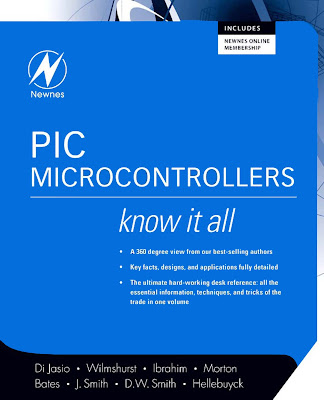
PIC Microcontrollers Di Jasio Wilmshurst Ibrahim

https://blogger.googleusercontent.com/img/b/R29vZ2xl/AVvXsEhoXyejFMGdiXjXFcU5HNttSBsmEK9ZrMxLI0GE2CroCndgjmJwmYglAckhqoJNF5vMrb4NcVEomEpOSWVEg1TNkwJldft1DzABCxsKEzipGWomuAiBVfbVEdebsRWSU7rPFTRm7CKp8PM/s128/PIC%20Microcontrollers%20Di%20Jasio%20Wilmshurst%20Ibrahim.jpg PIC Microcontrollers

Lucio Di Jasio
Tim Wilmshurst
Dogan Ibrahim
John Morton
Martin P. Bates
Jack Smith
D. W. Smith
Chuck Hellebuyck

Reseña
The Newnes Know It All Series takes the best of what our authors have written over the past few years and creates a one-stop reference for engineers involved in markets from communications to embedded systems and everywhere in between. 
PIC design and development a natural fit for this reference series as it is one of the most popular microcontrollers in the world and we have several superbly authored books on the subject. This material ranges from the basics to more advanced topics. There is also a very strong project basis to this learning. The average embedded engineer working with this microcontroller will be able to have any question answered by this compilation. He/she will also be able to work through real-life problems via the projects contained in the book. The Newnes Know It All Series presentation of theory, hard fact, and project-based direction will be a continual aid in helping the engineer to innovate in the workplace.

Newnes lo sabe todo, la Series toma lo mejor de nuestros autores han escrito en los últimos años, y crea una referencia única para los ingenieros que participan en los mercados de las comunicaciones en los sistemas embebidos y en todas partes en el medio.

PIC diseño y desarrollo de un paso natural para esta serie de referencia ya que es uno de los microcontroladores más populares en el mundo y tenemos varios libros magníficamente autor sobre el tema. Este material va desde lo básico hasta temas más avanzados. Hay también una base de proyecto muy fuerte a este aprendizaje. El ingeniero de media incrustado trabajar con este microcontrolador será capaz de tener cualquier pregunta contestada por esta compilación. Él / ella también será capaz de trabajar a través de problemas reales a través de los proyectos contenidos en el libro. Newnes lo sabe todo, la Serie presentación de la teoría, basado en proyectos dirección será una ayuda constante para ayudar al ingeniero de innovar en el lugar de trabajo.

INDICE
  • An Introduction to PIC Microcontrollers.
  • The PIC Microcontroller Family. 
  • Introducing the PIC 16 Series and the 16F84A. 
  • Parallel Ports, Power Supply and the Clock Oscillator. 
  • Programming PIC Microcontrollers Using Assembly Language.
  • Starting to Program—An Introduction to Assembler. 
  • Building Assembler Programs. 
  • Further Programming Techniques. 
  • Prototype Hardware. 
  • More PIC Applications and Devices. 
  • The PIC12F50x Series (8-pin PIC Microcontrollers
  • Intermediate Operations Using the PIC12F675. 
  • Using Inputs. 
  • Keypad Scanning. 
  • Program Examples. 
  • Programming PIC Microcontrollers Using PicBasic.
  • PicBasic and PicBasic Pro Programming
  • Simple PIC Projects. 
  • Moving On with the 16F876. 
  • Communication. 
  • Programming PIC Microcontrollers Using MBasic.
  • MBasic Compiler and Development Boards. 
  • The Basics—Output.
  • The Basics—Digital Input. Introduction. 
  • Introductory Stepper Motors. 
  • Digital Temperature Sensors and Real-Time Clocks. 
  • Infrared Remote Controls. 
  • Programming PIC Microcontrollers Using C.
  • Getting Started. 
  • Programming Loops
  • More Pattern Work, More Loops
  • NUMBERS. 
  • Interrupts
  • Taking a Look Under the Hood. 
  • Appendices.
Consulta el Libro (15 MB) por:
Para los que usan Gestores de Descarga
http://adf.ly/MUtRT
http://adf.ly/MUtRW
http://adf.ly/MUtRZ
http://adf.ly/MUtRa

INDICE GENERAL
  • An Introduction to PIC Microcontrollers.
  • The PIC Microcontroller Family. 12-bit Instruction Word. 14-bit Instruction Word. 16-bit Instruction Word. Inside a PIC Microcontroller.
  • Introducing the PIC 16 Series and the 16F84A. The Main Idea—the PIC 16 Series Family. An Architecture Overview of the 16F84A. A Review of Memory Technologies. The 16F84A Memory. Some Issues of Timing. Power-Up and Reset. What Others Do—the Atmel AT89C2051. Taking Things Further—the 16F84A On-Chip Reset Circuit.
  • Parallel Ports, Power Supply and the Clock Oscillator. The Main Idea—Parallel Input/Output. The Technical Challenge of Parallel Input/Output. Connecting to the Parallel Port. The PIC 16F84A Parallel Ports. The Clock Oscillator. Power Supply. The Hardware Design of the Electronic Ping-Pong.
  • Programming PIC Microcontrollers Using Assembly Language.
  • Starting to Program—An Introduction to Assembler. The Main Idea—What Programs Do and How We Develop Them. The PIC 16 Series Instruction Set, with a Little More on the ALU. Assemblers and Assembler Format. Creating Simple Programs. Adopting a Development Environment. An Introductory MPLAB Tutorial. An Introduction to Simulation. Downloading the Program to a Microcontroller. What Others Do—A Brief Comparison of CISC and RISC Instruction Sets. Taking Things Further—The 16 Series Instruction Set Format.
  • Building Assembler Programs. The Main Idea—Building Structured Programs. Flow Control—Branching and Subroutines. Generating Time Delays and Intervals. Dealing with Data. Introducing Logical Instructions. Introducing Arithmetic Instructions and the Carry Flag. Taming Assembler Complexity. More Use of the MPLAB Simulator. The Ping-Pong Program. Simulating the Ping-Pong Program—Tutorial. What Others Do—Graphical Simulators.
  • Further Programming Techniques. Program Timing. Hardware Counter/Timer. Interrupts. More Register Operations. Special Features. Program Data Table. Assembler Directives. Special Instructions. Numerical Types. www.newnespress.com. www.newnespress.com.
  • Prototype Hardware. Hardware Design. Hardware Construction. Demo Board. Demo Board Applications.
  • More PIC Applications and Devices. 16F877 Application. 16F818 Application. 12F675 Application. 18F452 Application.
  • The PIC12F50x Series (8-pin PIC Microcontrollers). Differences from the PIC16F54. Example Project: PIC Dice.
  • Intermediate Operations Using the PIC12F675. The Inner Differences. Interrupts. EEPROM. Analog to Digital Conversion. Comparator Module. Final Project: Intelligent Garden Lights.
  • Using Inputs. Switch Flowchart. Program Development. Scanning (Using Multiple Inputs). Switch Scanning. Control Application—A Hot Air Blower.
  • Keypad Scanning. Programming Example for the Keypad.
  • Program Examples. Counting Events. Look-Up Table. 7-Segment Display. Numbers Larger than 255. Long Time Intervals. One Hour Delay. www.newnespress.com.
  • Programming PIC Microcontrollers Using PicBasic.
  • PicBasic and PicBasic Pro Programming. PicBasic Language. PicBasic Pro Language. Liquid Crystal Display (LCD) Interface and Commands. Interrupts. Recommended PicBasic Pro Program Structure. Using Stepping Motors. Using Servomotors.
  • Simple PIC Projects. Project #1—Flashing an LED. Project #2—Scrolling LEDs. Project #3—Driving a 7-Segment LED Display.
  • Moving On with the 16F876. Project #4—Accessing Port A I/O. Project #5—Analog-to-Digital Conversion. Project #6—Driving a Servomotor.
  • Communication. Project #7—Driving an LCD Module. Project #8—Serial Communication. Project #9—Driving an LCD with a Single Serial Connection.
  • Programming PIC Microcontrollers Using MBasic.
  • MBasic Compiler and Development Boards. The Compiler Package. BASIC and Its Essentials. Development Boards. Programming Style. Building the Circuits and Standard Assumptions. Pins, Ports and Input/Output. Pseudo-Code and Planning the Program. Inside the Compiler.
  • The Basics—Output. Pin Architectures. LED Indicators. Switching Inductive Loads. Low Side Switching. Isolated Switching. Fast Switching—Sound from a PIC.
  • The Basics—Digital Input. Introduction. Switch Bounce and Sealing Current. Hardware Debouncing. Software Debouncing. Isolated Switching. Reading a Keypad. Reference.
  • Introductory Stepper Motors. Stepper Motor Basics. Programs.
  • Digital Temperature Sensors and Real-Time Clocks. DS18B20 Temperature Sensor. Reading Multiple Sensors on the Same Bus. DS1302 Real-Time Clock. Combination Date, Time and Temperature. Ideas for Modifi cations to Programs and Circuits.
  • Infrared Remote Controls. Common Encoding Standards. IR Receiver. Characterizing Wide/Narrow Pulse Intervals. Decoding a REC-80 Controller. Ideas for Modifi cations to Programs and Circuits.
  • Programming PIC Microcontrollers Using C.
  • Getting Started. The Plan. Checklist. Coding. Review. Books. Links.
  • Programming Loops. The Plan. Checklist. Coding. Using the Logic Analyzer. Review. Books. Links.
  • More Pattern Work, More Loops. The Plan. Checklist. Coding. Testing with the Logic Analyzer. Using the Explorer16 Demonstration Board. Review. Books. Links.
  • NUMBERS. The Plan. Checklist. Coding. Notes for C Experts. Measuring Performance. Review. Links.
  • Interrupts. The Plan. Checklist. Coding. Managing Multiple Interrupts. Review. Books. Links.
  • Taking a Look Under the Hood. The Plan. Checklist. Coding. Review. Books. Links.
  • Appendices. The PIC 16 Series Instruction Set.. The Electronic Ping-Pong. DIZI-2 Board and Lock Application. Program M.. Program N. Program O. Program P. Program Q. Useful PIC Data. PIC 16F84A Data Sheet. 

jueves, 28 de marzo de 2013

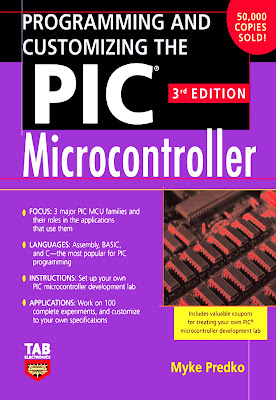
Programming And Customizing The Pic Microcontroller

https://blogger.googleusercontent.com/img/b/R29vZ2xl/AVvXsEiOXiIcdQAGKufTxF8wlUKiJRqwgZ5WU3EzMYc6Y5yjGWH2S_PB8qMnIpDhjUuTYOruCyY2nXM9KGfSKGNl9GnXR3_ehbL0bON6frDCaz6bJ-y87jiQjp0Fy3voOKlhajCXNFESCNfpF0c/s128/Programming%20And%20Customizing%20The%20Pic%20Microcontroller%20Myke%20Predko%203%C2%BA.jpg Programming And Customizing The Pic Microcontroller 
Myke Predko

Reseña

Tap into the latest advancements in PIC technology with the fully revamped Third Edition of McGraw-Hill's Programming and Customizing the PIC Microcontroller. Long known as the subject's definitive text, this indispensable volume comes packed with more than 600 illustrations, and provides comprehensive, easy-to-understand coverage of the PIC microcontroller's hardware and software schemes.
With 100 experiments, projects, and libraries, you get a firm grasp of PICs, how they work, and the ins-and-outs of their most dynamic applications.
Written by renowned technology guru Myke Predko, this updated edition features a streamlined, more accessible format, and delivers:
Concentration on the three major PIC families, to help you fully understand the synergy between the Assembly, BASIC, and C programming languages

Acceda a los últimos avances en tecnología de PIC con la edición totalmente renovada Tercera Programación McGraw-Hill y personalización del microcontrolador PIC. Conocida desde hace tiempo como texto definitivo del sujeto, en este volumen indispensable viene embalado con más de 600 ilustraciones, y provee información integral, fácil de entender la cobertura de hardware del microcontrolador PIC y los sistemas de software.
Con 100 experimentos, proyectos y librerías, obtenga una sólida comprensión de los PIC, cómo funcionan, y los pros y contras de sus aplicaciones más dinámicas. Escrito por el reconocido gurú de la tecnología Myke Predko, esta edición actualizada presenta un formato ágil, más accesible, y ofrece:
La concentración en las tres familias principales de PIC, para ayudarle a comprender plenamente la sinergia entre el ensamblador, BASIC y lenguajes de programación C

INDICE
  • Embedded Microcontrollers
  • The Microchip PIC Microcontroller
  • Software Development Tools
  • Programming PIC Microcontrollers
  • Emulators and Debuggers
  • The Microchip PIC MCU Processor Architecture
  • Using the PIC MCU Instruction Set
  • Assembly-Language Software Techniques
  • Basic Operating Features
  • Macro Development
  • Building and Linking
  • Bootloaders
  • Real-Time Operating Systems
  • Debugging Your Applications
  • PIC Microcontroller Application Design and Hardware Interfacing
  • PIC MCU Optional Hardware Features
  • PIC MCU Input and Output Device Interfacing
  • Motor Control
  • Practical PC Interfacing
  • PIC Microcontroller Application Basics
  • Projects
  • Appendix
  • Glossary
Consulta el Libro (9 MB) por:
Para los que usan Gestores de Descarga
http://adf.ly/LZ5yW
http://adf.ly/LZ5yX
http://adf.ly/LZ5yY
http://adf.ly/LZ5yZ

INDICE GENERAL
  • Embedded Microcontrollers. Microcontroller Types. Internal Hardware. Applications. Processor Architectures. Instructions and Software. Peripheral Functions. Memory Types. Microcontroller Communication. Device Packaging. Application Development Tools.
  • The Microchip PIC Microcontroller. Accessing the Microchip Web Site. PIC Microcontroller Feature Summary. Features Unique to the PIC Microcontroller. PIC Microcontroller Families.
  • Software Development Tools. Tools Overview. High Level Languages. Microchip MPLAB IDE.
  • Programming PIC Microcontrollers. Hex File Format. Code Protection. Parallel Programming. PIC ICSP Programmer Interface. Microchip Programmers. My Programmers. Third-Party Programmers.
  • Emulators and Debuggers. MPLAB ICE-2000. MPLAB REAL ICE. MPLAB ICD 2 Debugger. The Emu-II. Other Emulators.
  • The Microchip PIC MCU Processor Architecture. The CPU. Hardware and File Registers. The PIC Microcontroller’s ALU. Data Movement. The Program Counter and Stack. Reset. Interrupts. Architecture Differences.
  • Using the PIC MCU Instruction Set. Setting Up the MPLAB IDE Simulator with a Test Template. PIC MCU Instruction Types. The Mid-Range Instruction Set. Low-End PIC Microcontroller Instruction Set. PIC18 Instruction Set.
  • Assembly-Language Software Techniques. Sample Template. Labels, Addresses, and Flags. Subroutines with Parameter Passing. Subtraction, Comparing and Negation. Bit AND and OR. 16-Bit Operations. MulDiv, Constant Multiplication and Division. Delays. Patch Space. Structures, Pointers, and Arrays. Sorting Data. Interrupts. Reentrant Subroutines. Simulating Logic. Event-Driven Programming. State Machine Programming. Porting Code Between PIC Microcontroller Device Architectures. Optimizing PIC Microcontroller Applications. A Baker’s Dozen Rules to Follow That Will Help to Avoid Application Software Problems.
  • Basic Operating Features. Power Input and Decoupling. Configuration Fuses. OPTION Register. TMR0. Interrupt Operation. The Right PIC Microcontroller to Learn On.
  • Macro Development. PIC Microcontroller Assembly-Language Macros. The Difference Between Defines and Macros. The Assembler Calculator. Multiline C Macros. Conditional Assembly/Compilation. Using Defines and Conditional Assembly for Application Debug. Debugging Macros. Structured Programming Macros.
  • Building and Linking. Creating Linked Applications.
  • Bootloaders. Bootloader Requirements. Mid-Range Bootloaders. PIC18 Bootloaders.
  • Real-Time Operating Systems. Low-End and Mid-Range RTOSs. PIC18 RTOS Design.
  • Debugging Your Applications. Document the Expected State. Characterize the Problem. Hypothesize and Test Your Hypothesis. Propose Corrective Actions. Test Fixes. Release Your Solution. Debug: An Application to Test Your Debug Skills.
  • PIC Microcontroller Application Design and Hardware Interfacing. Requirements Definition. PIC Microcontroller Resource Allocation. Effective User Interfacing. Project Management. Power Management. Reset. Interfacing to External Devices.
  • PIC MCU Optional Hardware Features. Mid-Range Built-in EEPROM/Flash Access. TMR1. TMR2. Compare/Capture/PWM (CCP) Module. Serial I/O. Analog I/O. Parallel Slave Port (PSP). In-Circuit Serial Programming (ICSP).
  • PIC MCU Input and Output Device Interfacing. LEDs. Switch Bounce. Matrix Keypads. LCDs. Analog I/O. Audio Output. Relays and Solenoids. Asynchronous (NRZ) Serial Interfaces. Synchronous Serial Interfaces.
  • Motor Control. Dc Motors. Stepper Motors. R/C Servo Control.
  • Practical PC Interfacing. PC Software Application Development Tools. Serial Port. Parallel Port.
  • PIC Microcontroller Application Basics. Jumping Around. Some Basic Functions. Analog Input/Output. I/O with Interrupts. Serial I/O.
  • Projects. Low-End Devices. Mid-Range Devices. PIC18 Devices.
  • Appendix.
  • Resources. Microchip. Books to Help You Learn Moreabout the PIC Microcontroller. Useful Books. Recommended PIC Microcontroller Websites. Periodicals. Other Websites of Interest. Part Suppliers.
  • PIC Microcontroller Summary. Feature to Part Number Table. Instruction Sets. I/O Register Addresses. Device Pinouts.
  • Useful Tables and Data. Electrical Engineering Formulas. Mathematical Formulas. Mathematical Conversions. ASCII.
  • Miscellaneous Electronic Reference Information. Basic Electronic Components and Their Symbols. Test Equipment.
  • Basic Programming Language. PICBASIC.
  • C Programming Language. Common Library Functions. PICC Library Functions. Microchip C18 Library Functions.
  • Reuse, Return, and Recycle. Useful Snippets. Mykemacs.inc. Sixteen-Bit Numbers.
  • Glossary.
Related Posts Plugin for WordPress, Blogger...